Table of Contents >> Show >> Hide
- What “Traveling With Alexa” Actually Means (and What It Doesn’t)
- Choose Your Travel Setup
- Before You Leave: The Alexa Travel Checklist
- Connecting Alexa on the Road
- Practical Ways Alexa Helps While Traveling
- Privacy and Security When You’re Away From Home
- International Travel: Regions, Languages, and “Why Did That Skill Vanish?”
- Troubleshooting: Alexa, Please Don’t Do This to Me Right Now
- Conclusion: Travel With Alexa Like a Pro (Not Like a Wi-Fi Victim)
- Extra: Experiences & Lessons That Make “How to Travel With Alexa” Way Easier
- 1) The Hotel Wi-Fi Boss Battle
- 2) The “Wrong Weather” Comedy Sketch
- 3) The Packing List That Saves the Day
- 4) The Rental Car DJ Moment
- 5) The “Accidental Purchase” Panic (Funny Later, Not Funny Now)
- 6) The Sleep-Saver Routine
- 7) The “Did I Lock the Door?” Spiral
- 8) The Group Trip Communication Cleanup
- 9) The “No Internet” Reality Check
- 10) The Travel Style Discovery
- SEO Tags
Traveling is basically a series of tiny decisions made while hungry, slightly lost, and carrying a backpack that somehow weighs the same as a small moon. So if you’re bringing Alexa along, the goal isn’t to turn your trip into a sci-fi movieit’s to make the chaos a little more organized (and a lot more entertaining).
Whether you mean the Alexa app on your phone, a portable Echo in your luggage, Echo Auto for road trips, or a hotel room with Alexa built in, this guide walks you through what works, what’s annoying, and how to set it up without becoming “that person” arguing with hotel Wi-Fi at 1:00 a.m.
What “Traveling With Alexa” Actually Means (and What It Doesn’t)
Alexa is best at travel help when you treat her like a cloud-powered assistant: most “smart” features depend on an internet connection. That means your success on the road often comes down to three things:
- Power (outlets, adapters, charging cables, portable batteries)
- Connectivity (Wi-Fi, hotspot, cellular data, Bluetooth)
- Settings (location, time zone, privacy, purchases, communications)
Translation: Alexa can absolutely help you travel. She just can’t magically bypass a captive portal that demands you click “I agree” on a web page. (If she could, she’d deserve a Nobel Prize in Hospitality.)
Choose Your Travel Setup
There isn’t one “right” way to travel with Alexa. Pick the setup that matches how you travellight packer, road tripper, digital nomad, or “I brought three jackets to Miami just in case.”
Option 1: Use the Alexa App on Your Phone (The Easiest Win)
If you do nothing else, do this. The Alexa app lets you use Alexa on the go, manage devices at home, check timers, update lists, and morewithout dragging a smart speaker through airport security like it’s an emotional support gadget.
Best for: flight days, quick questions, packing lists, reminders, controlling your smart home while away, and setting up Echo devices you bring with you.
Pro tip: If you’re traveling with friends or family, shared lists in the Alexa ecosystem can save your group from the classic “I thought YOU were bringing sunscreen” argument.
Option 2: Bring a Small Echo Speaker (Hotel Rooms, Rentals, Longer Stays)
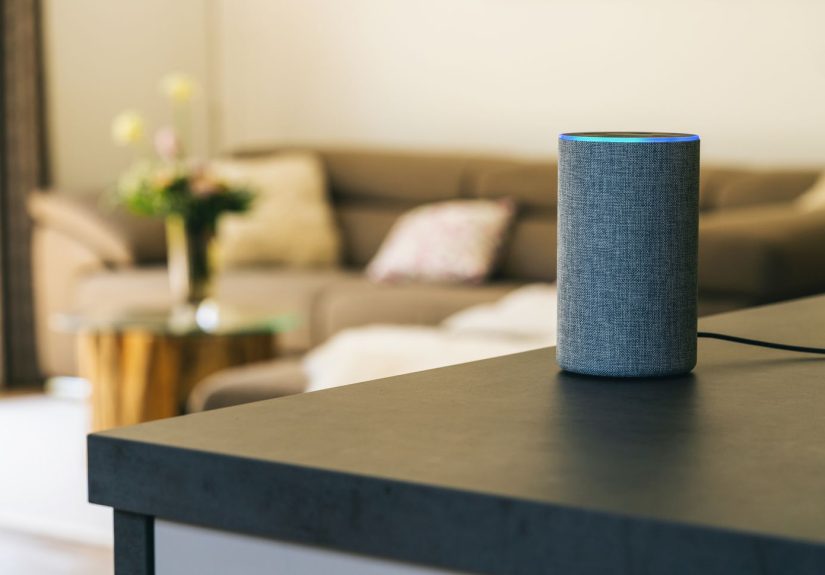
Bringing an Echo Dot (or similar) can make a rental or extended stay feel more like home: music, alarms, timers, white noise, quick info, routines, and hands-free convenience. But it only works smoothly if you plan for power and Wi-Fi.
What to pack:
- Echo device + original power adapter
- A short extension cord (hotel outlets love hiding behind furniture)
- A travel-friendly power strip (optional, but life-changing)
- If you want true portability: a compatible battery base (varies by Echo generation)
Option 3: Add Alexa to Your Car With Echo Auto (Road Trips & Rentals)
Echo Auto is built for driving: it connects to the Alexa app on your phone and uses your phone’s data plan, then plays audio through your car’s speakers via Bluetooth or AUX. In other words, it’s Alexa with a seatbelt.
Best for: hands-free music, calls/messages (where available), controlling smart home devices while you’re away, and asking those “how far is it, really?” questions without poking your phone like it owes you money.
Reality check: Because Echo Auto relies on your phone, your road-trip experience is only as good as your cellular signal. Remote highways can turn Alexa into a very polite silent roommate.
Option 4: Use Alexa in Hotels (When It’s Provided)
Some hotels offer Alexa-enabled devices designed for hospitality. This can be convenient for things like room information, basic requests, music, and questionswithout you signing in to personal accounts on a shared device.
Privacy note: Hospitality deployments are designed differently from personal devices, and hotels may advertise additional privacy protections. Still, if you’re not comfortable, it’s completely reasonable to use the mic mute button and treat it like a regular speaker-shaped object.
Before You Leave: The Alexa Travel Checklist
Do these five minutes of setup at home and you’ll save yourself thirty minutes of frustration later (plus one existential sigh in a hotel lobby).
1) Update your device Wi-Fi settings and know how to change networks
Make sure you remember the steps to switch Wi-Fi networks in the Alexa app. You’ll do this a lot if you bring an Echo.
2) Set (or be ready to change) your Alexa device location
Device location affects weather, time, and other location-based features. If you’re bringing an Echo on the trip, you’ll want it to reflect where you actually areotherwise you’ll get the forecast for your neighbor back home while you’re standing in a totally different climate zone wearing the wrong shoes.
3) Lock down purchases
Travel adds chaos. Chaos adds accidental voice purchases. Disable voice purchasing or require a voice code (PIN). This is especially important if kids are aroundor if your travel buddy thinks it’s funny to test Alexa’s loyalty with “order 10 pounds of gummy bears.”
4) Review privacy settings (especially recordings)
Set your comfort level for voice recordings and consider auto-deleting voice history. Travel often means speaking more personal details out loud (addresses, schedules, etc.), so it’s worth tightening controls.
5) Check communications features
If you use Drop In, calling, or announcements, decide what you want enabled while you’re away. Some people love being reachable everywhere; others prefer their vacation to be a “do not disturb” masterpiece.
Connecting Alexa on the Road
How to switch an Echo to a new Wi-Fi network
The basic flow is: open the Alexa app, select your device, then change or remove the Wi-Fi network and connect to the new one. Do this while you still have patience and battery lifeideally not when you’re already late for a tour.
Hotel Wi-Fi and captive portals (the final boss)
Many hotels use a “captive portal” that requires you to open a web page and accept terms or enter a room number. Echo devices usually can’t complete that browser step directly.
Here are practical workarounds that actually work in the real world:
- Ask the front desk to whitelist your device (sometimes they can authorize a MAC address so the device gets online without the portal).
- Use your phone hotspot for the Echo. This is the simplest fix, but it uses cellular data.
- Use a travel router so you only log in once (on the router), then your Echo and other devices connect to your private mini-network.
If you travel often and love bringing an Echo, a travel router can be the difference between “Alexa makes travel easy” and “Alexa, I am begging you.”
Practical Ways Alexa Helps While Traveling
Alexa shines when you give her specific jobs that remove friction from your day. Here are high-impact uses that fit real travel moments.
Trip planning and itinerary help
If you use Alexa’s newer trip planning features (where available), you can start with a simple voice request and let Alexa ask follow-up questions. Even if you don’t use a full itinerary generator, Alexa is still useful for:
- building a day plan as a checklist
- setting reminders for booking windows and check-in times
- keeping a running list of places you want to try
Packing lists that don’t rely on your memory (brave, but risky)
Use Alexa lists for packing and shopping:
- “Alexa, add phone charger to my packing list.”
- “Alexa, add travel-size sunscreen to my shopping list.”
- “Alexa, what’s on my packing list?”
This is especially helpful for multi-stop trips where you repack often and “something definitely went missing” is basically a daily theme.
Timers, alarms, and routines (aka the anti-jet-lag toolkit)
Travel is full of time-based tasks: parking meters, laundry timers, museum entry slots, airport boarding, meds, naps, and that one friend who needs a reminder to be ready “in 10 minutes” (which means 40).
Create a simple “Travel Day” routine that:
- reads your first reminder (passport/wallet/keys)
- tells you the weather
- starts a playlist
- sets a reminder for check-out time
Routines can bundle actions so you don’t have to remember every command when you’re half-awake and holding coffee like it’s emotional support.
Weather and local info that matches where you are
If you update device location (or use your phone’s location services through the Alexa app), Alexa becomes a quick local dashboard:
- forecast and severe weather timing
- sunrise/sunset (useful for hiking or city photography)
- quick facts like “How late is this place open?” (depending on services and availability)
The key is keeping location accurateespecially if you bring an Echo speaker from home.
Entertainment in unfamiliar places
A small Echo in a hotel or rental is underrated for:
- background music while you unpack
- white noise if the hallway is auditioning for a tap-dancing competition
- sleep timers (“Stop in 30 minutes”)
If Wi-Fi is a mess, you may still be able to use the speaker via Bluetooth for audioeven when “smart” features aren’t cooperating.
Staying connected (without oversharing)
Alexa communication features can help you keep in touch with family or coordinate with your household back home. If you use Drop In or calling features, just be intentional about which devices allow itvacation is a lot more peaceful when nobody can accidentally “Drop In” while you’re arguing about where to eat.
Privacy and Security When You’re Away From Home
Travel often means you’re speaking sensitive details out loudaddresses, schedules, names, room numbers. A few settings reduce risk without ruining convenience.
Use the mic mute button when you want quiet privacy
If your Echo is in a shared space (hotel room, rental, group trip), the mute button is your best friend. Use it when you’re not actively using Alexa.
Manage voice recordings and consider auto-deletion
You can review and delete voice recordings, and you can also set voice history to auto-delete. This is a practical “set it and forget it” moveespecially for frequent travelers.
Also note: in recent years, Amazon shifted away from certain limited “don’t send recordings to the cloud” options on a small set of devices. For most users, it’s safest to assume cloud processing is the standard and manage data retention accordingly.
Disable voice purchasing or require a PIN
Turning off voice purchasing (or adding a voice code) prevents accidental orders. It’s also protection against random TV ads, prankster friends, or that one person who discovers Alexa can buy things and immediately becomes a chaos scientist.
Turn off Drop In where appropriate
Drop In can be convenient, but it’s also something you should explicitly control per device. If you travel with an Echo, decide whether it should allow Drop In at all.
International Travel: Regions, Languages, and “Why Did That Skill Vanish?”
Alexa features and skills can vary by country/region. If you travel internationally, keep these realities in mind:
- Availability varies by region. Some Alexa features are limited outside certain countries, and content/services may differ.
- Country settings affect personalization. Amazon account country/region settings can influence what skills and features you see.
- Location and time zone matter. If your device thinks it’s still at home, you’ll get the wrong time and weatheran easy way to miss a reservation.
The simplest approach: keep your core travel workflow universal (lists, timers, reminders, offline backup plans) and treat region-specific features as a bonus.
Troubleshooting: Alexa, Please Don’t Do This to Me Right Now
Problem: “I can’t connect to hotel Wi-Fi.”
- Try whitelisting with the front desk (MAC address authorization).
- Use a phone hotspot as a temporary bridge.
- Use a travel router to handle captive portal logins once.
Problem: “My Echo is offline.”
- Confirm power and outlet (hotel outlets are sneaky).
- Restart the Echo and your phone, then try again.
- Update Wi-Fi settings in the Alexa app.
Problem: “Weather/time is wrong.”
- Update device location in the Alexa app.
- Check time zone settings (especially after crossing time zones).
Problem: “Echo Auto isn’t behaving.”
- Confirm Bluetooth connection and that your phone has data service.
- Make sure the Alexa app has the permissions it needs.
- Test with a simple command first (“Play music”) before relying on it for the whole drive.
Conclusion: Travel With Alexa Like a Pro (Not Like a Wi-Fi Victim)
The best way to travel with Alexa is to keep it simple: use the Alexa app on your phone as your foundation, bring an Echo only when the stay is long enough to justify setup, and use Echo Auto when you want hands-free convenience on the road.
Plan for the two biggest travel realitiespower and internetthen lock down privacy settings (recordings, purchases, Drop In). Do that, and Alexa becomes less of a gadget and more of a calm little travel assistant who remembers the stuff you shouldn’t have to.
And if all else fails? You can still use Alexa the old-fashioned way: as a reminder that you’re allowed to laugh when technology throws a tantrum. It’s part of the journey. (Unfortunately.)
Extra: Experiences & Lessons That Make “How to Travel With Alexa” Way Easier
The most useful travel advice usually comes from the moments that go slightly sidewaysbecause those are the moments you remember forever. Here are experience-based scenarios (the kind travelers run into all the time) and the lessons they teach when you’re traveling with Alexa.
1) The Hotel Wi-Fi Boss Battle
You arrive, you plug in the Echo, you open the Alexa app… and the hotel Wi-Fi demands a web login like it’s guarding a treasure chest. The lesson: always bring a backup plan. If you travel frequently, a travel router can turn “connect everything” into a one-time setup. If not, your phone hotspot is the quick rescuejust watch data usage if you stream music all night.
2) The “Wrong Weather” Comedy Sketch
Alexa cheerfully reports it’s snowing back home while you’re sweating through your shirt in a different state. The fix is simpleupdate device locationbut the lesson is bigger: when you travel with an Echo, you have to treat it like a device that moved, not a device that lives permanently in your kitchen. Set location early, and you’ll get accurate forecasts, time, and reminders.
3) The Packing List That Saves the Day
Packing lists feel boring… until they save you. Travelers who use Alexa lists tend to build them in “real time”: the moment you think of something, you add it. That means you’re not trying to remember everything the night before. It’s especially clutch for small itemsmeds, chargers, sunglasses, travel documentsaka the stuff that’s annoying to replace and somehow always goes missing.
4) The Rental Car DJ Moment
Echo Auto can be a road trip upgrade when you don’t want to tap your phone constantly. The lesson here isn’t “use more tech”it’s “use the right tech.” If your car’s built-in assistant is weak (or nonexistent), Echo Auto can be your hands-free solution. But if cell service drops, have offline playlists or downloaded audio ready so your entertainment doesn’t vanish the moment you hit a rural highway.
5) The “Accidental Purchase” Panic (Funny Later, Not Funny Now)
Travel brings jokes, kids, friends, and a lot of unpredictable conversation. Some travelers learn the hard way that voice purchasing should be turned off (or locked behind a PIN) before they’re in a room full of people testing Alexa’s limits. The lesson: make your settings match your environment. A quiet home is one thing. A shared vacation rental is a totally different vibe.
6) The Sleep-Saver Routine
One of the most underrated travel uses: routines that make your mornings and nights smoother. A bedtime routine that sets a sleep timer, plays white noise, and lowers volume can make a strange room feel normal. A morning routine that reads weather, your first reminder, and a short news brief can help you wake up orientedespecially after time-zone changes.
7) The “Did I Lock the Door?” Spiral
The travel brain is dramatic. If you have smart home devices at home, Alexa can help you check on things while you’re awaylights, plugs, and other connected devicesso you don’t spend your entire vacation wondering if you left something on. The lesson: Alexa isn’t just for where you are; it’s also for peace of mind about what you left behind.
8) The Group Trip Communication Cleanup
Group trips are basically project management with more snacks. Alexa can help with shared lists and reminders, but you’ll want to keep communications features tidyespecially Drop In and announcements. The lesson: convenience is great, but boundaries are greater. Configure devices so you’re not accidentally broadcasting to the wrong place at the wrong time.
9) The “No Internet” Reality Check
Even well-planned trips hit dead zones. When Alexa can’t reach the cloud, smart features may be limited. Travelers who love Alexa still plan offline backups: downloaded maps, stored reservations, offline music, and screenshots of key details. The lesson: Alexa is an enhancer, not your only plan.
10) The Travel Style Discovery
Some people discover they only need Alexa on their phone. Others love bringing an Echo for longer stays. The lesson: your best setup depends on how you travel. Start simple (phone app), then add hardware only if it genuinely reduces stress. If you feel like you’re doing more setup than vacation, it’s okay to leave the speaker at home next time. Alexa will forgive you. Probably.