Table of Contents >> Show >> Hide
- Wait… Aren’t iPads Waterproof by Now?
- The Real Risks of Using an iPad Near Water
- How to Use an iPad Near Water Without Freaking Out
- What to Do If Your iPad Gets Wet
- Planning Ahead: Pools, Kids, Travel, and Boats
- Is a Waterproof iPad Ever Coming?
- Real-World Experiences: What People Learn the Hard Way
- Final Thoughts: You + Water + iPad = Choose Two
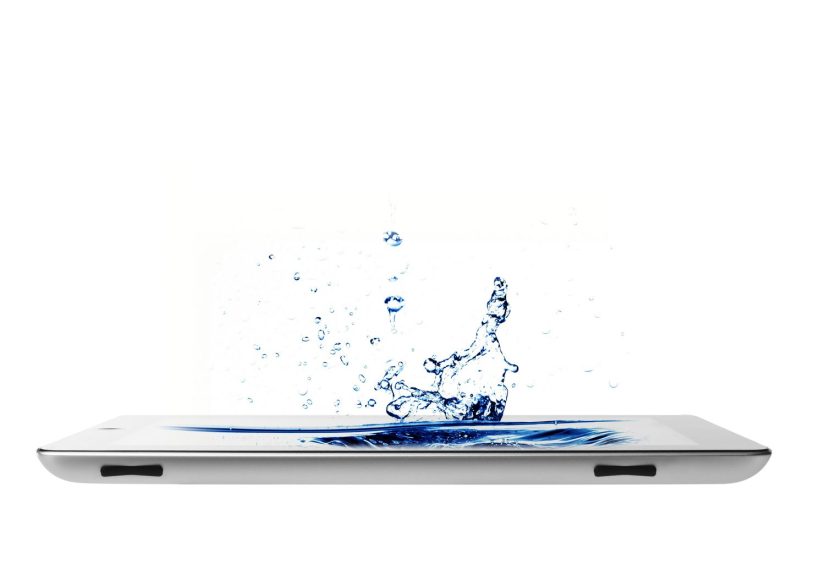
Picture this: you, a comfy lounge chair, a cold drink, and your iPad loaded with movies, ebooks, and vacation playlists. Then a stray cannonball from the deep end sends a wave straight toward your tablet. Romantic beach day? Still yes. Romantic beach day for your iPad? Absolutely not.
Before you bring your iPad to the pool, tub, lake, or beach, it’s worth understanding what it can (and definitely cannot) handle. Spoiler: as of 2025, iPads are not waterproof, and they’re not even officially water-resistant, no matter how confident you feel scrolling Instagram in the hot tub.
In this guide, we’ll break down what Apple actually says about water, why a “quick splash” can still be expensive, how to pick the right waterproof case or dry bag, and what to do if your iPad does take a swim. Think of this as swimming lessons for your tablet.
Wait… Aren’t iPads Waterproof by Now?
No, your iPad is not a tiny surfboard
Many people assume that because modern iPhones have IP67 or IP68 water-resistance ratings, iPads must have similar protection. That’s not the case. As of now, Apple does not advertise any iPad model with an official IP rating for water or dust resistance.
Translation: your iPad is basically a very fancy, very expensive electronic sponge. Water can sneak in through the speaker grilles, charging port, microphone openings, and seams in the aluminum body. Even a short dip can cause corrosion, short circuits, and long-term weird behavior that shows up weeks later.
There are rumors that future models (like a next-generation iPad mini) might get some level of water resistance similar to iPhones, designed for “casual use in wet environments” such as bathrooms or poolside. Until Apple officially announces and documents that, though, treat any current iPad as “keep me dry at all times.”
Water-resistant vs. waterproof: yes, it matters
You’ll see two terms tossed around a lot: water-resistant and waterproof. They are not the same thing, and understanding the difference can save your tablet.
- Water-resistant usually means a device can handle splashes or brief, controlled exposure to water under lab conditions. Think: “Oops, I got caught in the rain.”
- Waterproof typically means the device or case can be fully submerged for a certain depth and time without damage, often defined by an IP rating like IP68.
iPads do not have a built-in IP rating. That means your tablet isn’t officially water-resistant or waterproof. If you want true waterproof protection, you’ll need a certified waterproof case or pouch, not just a stylish folio cover.
The Real Risks of Using an iPad Near Water
1. Liquid damage and corrosion
When water gets inside an iPad, it doesn’t just “dry and get better.” Liquid can leave mineral deposits and cause corrosion on tiny components on the logic board, speaker assemblies, and connectors. The device may work fine for a day or two, then suddenly go dark for good.
Apple’s standard one-year limited warranty does not cover liquid damage. If Apple technicians see signs of corrosion or a triggered liquid indicator, they’ll treat it as accidental damage, not a warranty defect.
2. Safety risks: it’s not just your iPad at stake
Beyond the cost of a dead tablet, there’s another serious issue: electricity and water never mix. Electrical safety experts consistently warn against handling electrical devices with wet hands or using them near pools, hot tubs, or sinksespecially if they’re plugged in.
The safest approach:
- Never use your iPad while it’s charging near water.
- Keep plugged-in electronics several feet away from pools, tubs, and sinks.
- Only handle your iPad with dry hands and while standing on a dry surface.
Battery-only devices still carry some risk if something fails internally, but the danger is dramatically higher when chargers, outlets, and extension cords get involved.
3. Sun, sand, and salt: the unholy trio
Water isn’t the only problem. At the beach or lake, you’re also dealing with:
- Sand and grit that scratch the screen and pack into ports and speaker holes.
- Saltwater, which is far more corrosive than fresh water and can damage metal components quickly.
- Heat and sun, which can cause your iPad to overheat and shut down, especially inside a dark case or bag.
So if you’re going for “iPad + water,” you’re really going for “iPad + water + heat + dirt.” Your tablet deserves hazard pay.
How to Use an iPad Near Water Without Freaking Out
1. Get a real waterproof case or dry bag
If you’re serious about using your iPad by the pool or at the beach, a true waterproof case or dry bag is non-negotiable. Look for:
- An official IP68 rating (submersible, usually up to 2 meters for a set time).
- Full coverage around the edges, buttons, and portsno open cutouts.
- Screen protection you can still tap and swipe through.
- Extras like floatation, shoulder straps, or stands, depending on how you use your iPad.
Dry bags and pouches are great if you want something budget-friendly or you have multiple devices (phones, passports, cash) to keep safe in one place. Just remember: if any seal is damaged or not fully closed, the protection doesn’t count.
2. Keep a “dry zone” and a “splash zone”
Think like a lifeguard for gadgets:
- Designate a dry zone where your iPad liveson a table, in a tote, or in a shaded area away from cannonballs and running kids.
- Assume anywhere near the edge of the pool, shoreline, or tub is the splash zone. If you wouldn’t leave your wallet there, don’t leave your iPad there.
- Use a waterproof tote or beach bag to hold your iPad and other electronics. Many modern beach totes come with waterproof liners and accessory pouches for phones and tablets.
A simple rule: if someone could shake off water near it, it’s too close.
3. Never charge your iPad near water
It’s tempting to stretch a long extension cord to the pool or bath so you can “just top up a bit.” Please don’t.
Plugged-in devices and water are a dangerous combo. Use your iPad on battery only when you’re outside or near water, and charge it indoors, far from any splashing. If the charging port ever gets wet, wait at least several hours (or longer) until it’s completely dry before plugging it in.
4. Protect against sun and heat
Even if you manage to avoid water entirely, extreme heat can still shut down your iPad or damage the battery over time. Try to:
- Keep your iPad in the shade when possible.
- Avoid leaving it in a hot car or in direct sun on a towel.
- Use a light-colored case or bag that doesn’t absorb as much heat.
What to Do If Your iPad Gets Wet
Step 1: Get it out of the water and power it down
If your iPad falls in water or gets thoroughly soaked:
- Remove it from the water immediately.
- If it’s still on, power it off as quickly and safely as you can.
- Unplug any cablesespecially chargerswithout touching any live outlets with wet hands.
Step 2: Dry the outside (gently)
Use a soft, absorbent towel to carefully dry the surface. Pay attention to:
- Speaker grilles and microphone holes
- The charging port and headphone jack (on older models)
- Buttons and seams
Don’t use a hairdryer or direct heat source, which can warp components. And resist the urge to shake the iPad wildlythis can move water deeper inside.
Step 3: Skip the rice, use time instead
The internet loves the “stick it in rice” trick, but it’s not a magic cure. Rice can leave dust inside ports and won’t reliably pull moisture out of deep internal layers.
A better option is to:
- Leave the iPad powered off.
- Place it in a dry, well-ventilated area for at least 24–48 hours.
- If you have silica gel packs (the “do not eat” packets from boxes), you can put the iPad in a container with those to help absorb moisture.
Step 4: Know your repair and coverage options
If the iPad doesn’t turn back onor acts strangely with sound, display, or chargingcontact Apple Support or an authorized service provider.
Standard warranty typically doesn’t cover liquid damage, but AppleCare+ can cover accidental damage (including liquid) for a service fee per incident, up to a certain number of incidents.
The key takeaway: water damage is almost always treated as an accident, not a defect. Plan (and insure) accordingly.
Planning Ahead: Pools, Kids, Travel, and Boats
Using an iPad around kids and pools
Kids + water + electronics is the holy trinity of “something will eventually go wrong.” If you’re letting children use an iPad near water:
- Always use a waterproof case or pouch.
- Set clear “pool rules” about where the iPad can and cannot go.
- Keep charging cables completely out of the area.
On boats, docks, and marinas
Using an iPad for navigation, music, or reading on a boat is common, but docks and marinas can pose an additional risk: electric shock hazards in the water from faulty wiring or equipment. Safety organizations warn against swimming near marinas and emphasize proper electrical inspections around water activities.
For your iPad:
- Use a floatable waterproof case or bag.
- Secure it with a strap so a wave can’t toss it overboard.
- Keep any AC chargers and power strips well away from the waterline.
Is a Waterproof iPad Ever Coming?
It’s entirely possible that future iPads will get official IP ratings and marketing photos of tablets happily lounging on the edge of an infinity pool. Rumors already suggest Apple is exploring more water-resistant designs for certain models.
But until Apple clearly states “this iPad is water-resistant to X depth for Y minutes” in its documentation, assume yours is allergic to water. It’s much cheaper to buy a good waterproof case today than a whole new tablet tomorrow.
Real-World Experiences: What People Learn the Hard Way
You’ll find endless stories online from people who tried “just one quick episode in the tub” or “just checking email on the pool step” and walked away with a very expensive paperweight. A few common patterns pop up in these real-world experiences:
- “I thought holding it above the water was enough.” A tiny slip, a surprised reaction to cold water, or one enthusiastic splash from a kid is all it takes.
- “It worked fine for a week… and then died.” Corrosion can be sneaky. The device might function for days or weeks before a damaged component finally fails.
- “The cheap case wasn’t actually waterproof.” Not all cases are created equal. People often discover that “water-resistant” covers or folios don’t protect against submersion or heavy splashing.
Some users report great success using quality IP68 cases in bathtubs, pools, or while paddle boardingreading ebooks, watching movies, or even sketching in apps like Procreate while on the water. The common thread among the happy stories is preparation:
- They chose a reputable waterproof case or dry bag, checked seals carefully, and tested it without the iPad first.
- They kept the iPad on battery power only, charging it later indoors.
- They respected the environmentextra caution around saltwater, sand, and strong sun.
Real-world experiences also show how useful a waterproof setup can be when it’s done right. Imagine:
- Watching a show in the hot tub without hovering nervously over the edge.
- Reading on a float in the pool, knowing your case will float too if you drop it.
- Using your iPad for recipes while camping in damp weather, without panicking over every splash from the sink or cooler.
On the flip side, people who skip protection often face sudden, painful expenses and a lot of regret. Many vow never to mix their “naked” iPad with water again. That’s the real lesson: water and unprotected electronics don’t mix, but with the right gear and a little discipline, you don’t have to choose between your favorite device and your favorite way to relax.
So if you’re planning a pool day, beach trip, cruise, or long bath with a show queued up, give your iPad a fighting chance. Suit it up, keep it away from chargers, and treat water like the powerful force it isnot like a harmless background decoration.
Final Thoughts: You + Water + iPad = Choose Two
Your iPad is amazing at streaming, reading, sketching, and helping you procrastinate laundry. It is not amazing at swimming. Until Apple releases a truly water-resistant iPad, the safest approach is simple: if you’re going near water, either protect it properly or leave it somewhere dry.
With a solid waterproof case, smart safety habits, and realistic expectations, you can enjoy your iPad near pools, beaches, baths, and lakes without constantly imagining it sinking in slow motion. Your future selfand your future repair billwill thank you.