Table of Contents >> Show >> Hide
- What Is MFA?
- Why Passwords Alone Are Not Enough
- How MFA Helps Businesses Stay Cyber Safe
- The Main Types of MFA
- Phishing-Resistant MFA: The Upgrade Worth Knowing
- MFA and Cybersecurity Culture
- Common MFA Mistakes to Avoid
- How to Roll Out MFA Without Creating Office Drama
- MFA for Individuals: Where to Turn It On First
- Why MFA Matters for Insurance Agencies and Client Trust
- Experience Notes: What MFA Looks Like in Real Life
- Conclusion
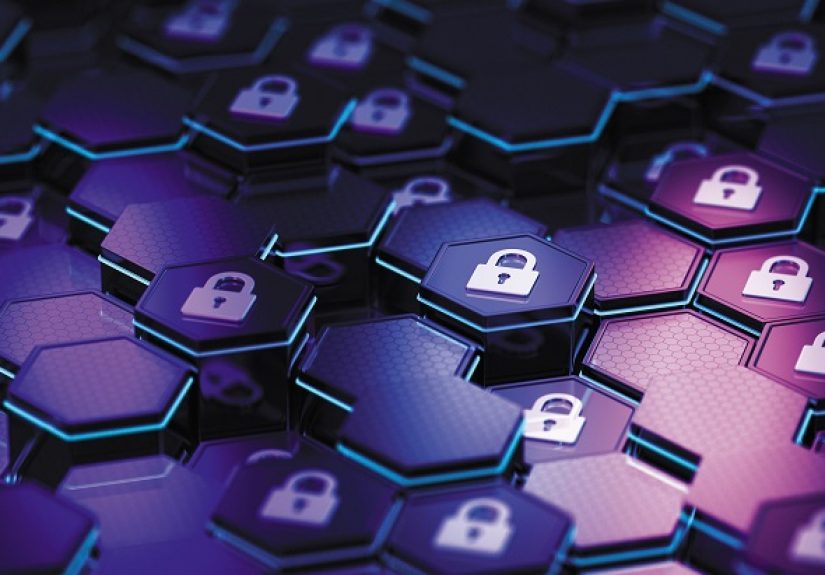
Passwords are like house keys made of cheese: technically useful, but not something you want protecting your most valuable stuff for very long. In a world where phishing emails look polished, stolen credentials circulate like bargain-bin coupons, and cybercriminals can automate attacks at frightening speed, relying on a password alone is no longer enough. That is where multi-factor authentication, commonly called MFA, steps in.
MFA is one of the simplest cybersecurity habits a person or business can adopt, yet it can make a dramatic difference. It adds one or more extra checks before someone can access an account. Instead of asking only, “Do you know the password?” MFA also asks, “Do you have the trusted device?” or “Can you prove it is really you?” That second question is often what stops an attacker cold.
The original IA Magazine discussion on MFA made a practical point that remains true: cybersecurity is not only a technology issue. It is a culture issue. Employees, independent agents, small businesses, and everyday consumers all need security habits that are realistic, repeatable, and not so annoying that people start inventing creative workarounds. MFA works because it turns account protection into a routine action, not a heroic act of digital wizardry.
What Is MFA?
Multi-factor authentication is a login method that requires two or more different types of proof before granting access. These proofs usually fall into three categories:
- Something you know: a password, PIN, or security phrase.
- Something you have: a smartphone, authenticator app, hardware security key, or trusted device.
- Something you are: a fingerprint, face scan, or other biometric check.
A familiar example is logging into your email with a password, then entering a code from an authenticator app. Another example is approving a sign-in through a mobile prompt. A stronger example is using a passkey or physical security key that confirms the login request is tied to the real website, not a fake page wearing a suspiciously convincing mustache.
Why Passwords Alone Are Not Enough
Passwords have three major problems. First, people reuse them. Second, attackers steal them. Third, even strong passwords can be captured through phishing, malware, fake login pages, or data breaches. A password may be long, complex, and sprinkled with symbols like a keyboard had a sneeze, but if an attacker tricks someone into typing it into a fake portal, complexity no longer saves the day.
Cybercriminals love credentials because they are efficient. A stolen username and password can open the door to email, cloud storage, payroll systems, customer data, agency management platforms, banking portals, and social media accounts. Once inside, an attacker may quietly read messages, reset other passwords, send fraudulent invoices, impersonate staff, or steal sensitive files.
MFA changes the math. If a password is compromised, the attacker still needs the second factor. That extra step may be a code, device approval, biometric confirmation, or cryptographic key. It does not make an account invincible, but it makes breaking in much harderand criminals usually prefer easier targets. Cybersecurity is partly about convincing attackers that your digital front door is not worth the trouble.
How MFA Helps Businesses Stay Cyber Safe
For businesses, MFA is not just a nice security upgrade. It is a practical risk-management tool. Small and mid-sized organizations often assume attackers focus only on giant corporations, but criminals follow opportunity, not company size. If a small agency, retailer, medical office, contractor, or professional service firm has weak login protection, it can become a convenient target.
MFA helps protect:
- Email accounts that may contain invoices, contracts, private conversations, and password reset links.
- Cloud platforms such as file storage, accounting tools, customer databases, and productivity suites.
- Administrative accounts with the power to create users, change permissions, or access sensitive systems.
- Remote work tools, virtual private networks, and collaboration apps.
- Customer portals and policyholder information in insurance or financial services environments.
For independent insurance agencies, MFA is especially important because agencies handle trust-heavy information: client names, addresses, policy details, payment data, claims documents, and business communications. A compromised account can become a launchpad for fraud. One hijacked mailbox can send convincing messages to clients or carriers, and nobody wants “Sorry, that wire transfer request came from a cybercriminal” as their Monday morning opener.
The Main Types of MFA
SMS Codes
Text-message codes are common because they are easy to understand. A site sends a short code to your phone, and you type it in after entering your password. This is better than no MFA, but it is not the strongest option. SMS can be vulnerable to SIM-swapping, phone-number theft, and phishing pages that trick users into entering codes in real time.
Email Codes
Email-based verification is also common. It can help, but it depends heavily on the security of the email account itself. If an attacker already controls your email, email-based codes become about as helpful as locking the front door while leaving the window open with a welcome sign.
Authenticator Apps
Authenticator apps generate time-based one-time codes. These are stronger than SMS because they do not rely on mobile carriers. Popular authenticator apps create codes that refresh every 30 seconds or so. They are simple, low-cost, and widely supported by major platforms.
Push Notifications
Push-based MFA sends a login approval request to a trusted device. The user taps approve or deny. This is convenient, but it must be configured carefully. Attackers sometimes use “MFA fatigue” attacks, repeatedly sending prompts until a tired or confused user taps approve. Number matching, location context, and user training can reduce that risk.
Hardware Security Keys
Hardware security keys are small physical devices that plug into a computer or connect wirelessly. They are among the strongest MFA options because they use cryptographic authentication and are resistant to many phishing attacks. They are excellent for administrators, executives, finance teams, IT staff, and anyone with access to highly sensitive systems.
Passkeys
Passkeys are a modern passwordless sign-in method based on public-key cryptography. Instead of typing a password, users authenticate with a device, fingerprint, face scan, or PIN. Passkeys are designed to be phishing resistant because they are bound to the legitimate website or application. In plain English: a fake website cannot simply trick you into handing over a passkey the way it can trick you into typing a password.
Phishing-Resistant MFA: The Upgrade Worth Knowing
Not all MFA methods are equal. Basic MFA is valuable, but phishing-resistant MFA is the gold-standard direction for many organizations. Phishing-resistant methods, such as FIDO2 security keys and passkeys, reduce the chance that a user can be tricked into approving access on a fake site.
This matters because attackers have adapted. Years ago, adding any second factor was enough to stop many attacks. Today, criminals may create convincing login pages, steal session cookies, call employees while pretending to be IT support, or bombard users with approval prompts. Stronger MFA methods help defend against these newer tricks.
A smart approach is to start where the risk is highest. Require stronger authentication for administrator accounts, finance systems, remote access tools, email, cloud storage, and any account that can access customer data. Once the critical doors are reinforced, expand MFA across the organization.
MFA and Cybersecurity Culture
MFA works best when it is part of a broader cybersecurity culture. That means people understand why it matters, not just how to click through another login screen. Security policies should be clear, human-friendly, and realistic. If employees see MFA as pointless friction, they may resist it. If they understand that MFA protects client trust, payroll, company reputation, and their own accounts, adoption becomes easier.
Training should explain common scenarios. For example, employees should know never to approve a login they did not initiate. They should report unexpected MFA prompts. They should be suspicious of messages that create urgency, such as “Your account will be closed in 10 minutes,” “Approve this request immediately,” or “Your boss needs gift cards, because apparently the finance department has become a convenience store.”
A strong cyber culture also includes software updates, secure Wi-Fi habits, password managers, phishing awareness, regular backups, and clear reporting procedures. MFA is powerful, but it should not be expected to carry the entire cybersecurity backpack by itself.
Common MFA Mistakes to Avoid
Using MFA Only for Some Accounts
Many organizations protect their main systems but forget about secondary tools. Attackers do not care whether an account is “minor.” If it has access to files, contacts, billing information, or password resets, it matters. Apply MFA broadly, especially to email and administrative accounts.
Forgetting About Account Recovery
Account recovery can become the weak link. If a user can bypass MFA by calling support and answering easy questions, attackers may target that process. Recovery should require strong verification, especially for privileged users.
Leaving Old Accounts Active
Former employees, unused admin accounts, old vendor logins, and abandoned test accounts are security clutter. They are like spare keys under digital doormats. Disable accounts that are no longer needed and review access regularly.
Ignoring User Experience
MFA should be secure, but it should also be usable. If login steps are confusing or constantly interrupt routine work, employees may look for shortcuts. Good implementation balances protection with convenience, using remembered devices, risk-based prompts, single sign-on, and stronger methods for higher-risk access.
How to Roll Out MFA Without Creating Office Drama
Introducing MFA does not have to feel like launching a spaceship. Start with a clear plan. Identify the accounts and systems that need protection first. Communicate the reason for the change in plain language. Give employees step-by-step setup instructions. Offer support during the transition. Then enforce MFA consistently.
A practical rollout might look like this:
- Inventory accounts: list email, cloud apps, admin tools, remote access systems, financial software, and client portals.
- Prioritize high-risk users: administrators, executives, finance staff, HR, IT, and employees with sensitive data access.
- Choose MFA methods: prefer authenticator apps, passkeys, or security keys over SMS where possible.
- Create backup options: provide recovery codes, secondary devices, or approved helpdesk procedures.
- Train users: explain what real MFA prompts look like and what to do with unexpected requests.
- Monitor and improve: review failed logins, suspicious prompts, and user feedback.
The best rollout is not the loudest one. It is the one people actually follow. Make setup easy, explain the benefit, and avoid burying instructions in a 37-page PDF that nobody opens unless legally threatened.
MFA for Individuals: Where to Turn It On First
Individuals should enable MFA on their most valuable accounts first. Start with email, because email often controls password resets for everything else. Then secure banking, retirement accounts, healthcare portals, cloud storage, password managers, social media, shopping accounts, and work-related apps.
Use a password manager to create unique passwords, then add MFA for a second layer. Save recovery codes in a secure place. Avoid relying only on SMS if stronger options are available. For accounts that support passkeys, consider setting them up. Passkeys can make secure login feel less like a chore and more like unlocking your phonewhich most people already do approximately 8,000 times a day.
Why MFA Matters for Insurance Agencies and Client Trust
For insurance professionals, MFA is more than a technical control. It supports client confidence. Agencies manage sensitive data and communicate frequently with carriers, policyholders, lenders, vendors, and internal teams. If an attacker compromises an agency email account, they may send fake payment instructions, request policy changes, harvest attachments, or impersonate staff.
Clients may not ask whether an agency uses MFA, but they will care deeply if their information is exposed. MFA helps reduce the risk of unauthorized access and shows that the business treats cybersecurity as part of professional responsibility. It is not flashy. It will not get applause at the holiday party. But it is the kind of quiet protection that prevents very loud problems.
Experience Notes: What MFA Looks Like in Real Life
In real workplaces, MFA succeeds when it is treated as a normal business habit rather than a punishment invented by the IT department. The first few days may bring questions: “Which app do I use?” “What happens if I lose my phone?” “Why did I get a login prompt at 2 a.m.?” These questions are not signs of failure. They are signs that people are learning how authentication actually works.
One common experience is the “unexpected prompt” moment. A person receives an MFA notification even though they are not logging in. Without training, they may tap approve just to make the notification disappear. With training, they recognize it as a warning sign. They deny the request, change the password, and report it. That small behavior shift can stop an account takeover before it becomes a full incident.
Another practical lesson is that convenience matters. If employees must enter a code every few minutes, frustration grows. If MFA is applied thoughtfullysuch as requiring extra verification for new devices, unusual locations, sensitive systems, or administrator actionsusers are more likely to cooperate. Security should feel like a seatbelt, not a medieval restraint device.
Small businesses often discover that MFA also improves accountability. When each user has a unique login protected by MFA, shared passwords become less acceptable. This makes it easier to know who accessed what, when, and from where. That visibility can help with audits, cyber insurance applications, vendor requirements, and internal investigations.
There is also a confidence benefit. After MFA is implemented, employees often become more aware of phishing attempts. They start noticing suspicious links, strange sender addresses, and urgent requests. MFA becomes a gateway habit. Once people accept one security behavior, they are more open to password managers, software updates, backup procedures, and safer file-sharing practices.
Of course, MFA is not magic. A determined attacker may still try social engineering, malware, session theft, or helpdesk manipulation. That is why organizations should combine MFA with user education, device security, access reviews, endpoint protection, and incident response planning. But even with those limitations, MFA remains one of the highest-value steps available. It is affordable, widely supported, and effective against many common attacks.
The best real-world advice is simple: do not wait for a breach to make MFA a priority. Turning it on after an incident is like buying a smoke alarm while standing in the ashes. Start with critical accounts, choose strong methods, train users, and keep improving. Cyber safety is not about being perfect. It is about making smart, steady choices that reduce risk before trouble knocks on the door wearing a fake IT badge.
Conclusion
MFA is simple, effective, and increasingly essential. It helps protect accounts even when passwords fail, reduces the risk of phishing-related compromise, and supports a stronger cybersecurity culture. For individuals, it is one of the easiest ways to protect personal information. For businesses and insurance agencies, it is a practical safeguard for client trust, operational continuity, and reputation.
The future of authentication is moving toward stronger, phishing-resistant options like passkeys and security keys. But the most important step is the first one: turn MFA on. Start with email and high-risk systems. Train people to recognize suspicious prompts. Review access regularly. Do not let perfect become the enemy of protected.
Cybersecurity can feel complicated, but MFA proves that some of the best defenses are surprisingly straightforward. Sometimes the smartest lock is simply the one you actually use.