Table of Contents >> Show >> Hide
- Introduction: AI Song Covers Are Easier Than Ever
- What Is an AI Song Cover?
- Before You Start: The Legal and Ethical Basics
- Free Tools You Can Use
- How to Make AI Song Covers for Free: Step-by-Step
- Step 1: Choose the Right Song
- Step 2: Get a Clean Audio File
- Step 3: Separate the Vocal and Instrumental
- Step 4: Prepare the Vocal for AI Conversion
- Step 5: Choose an AI Voice Responsibly
- Step 6: Convert the Vocal
- Step 7: Align the AI Vocal With the Instrumental
- Step 8: Mix the Cover
- Step 9: Master Lightly
- Step 10: Export and Label Your AI Cover
- Best Free Workflow for Beginners
- Common Problems and How to Fix Them
- Publishing Tips for YouTube, TikTok, and Streaming Platforms
- Practical Experience: What Making Free AI Song Covers Actually Teaches You
- Conclusion
Note: This guide is for educational, creative, and lawful use. Making an AI song cover for private practice is one thing; publishing, monetizing, or distributing it may require music licenses, platform disclosures, and permission to use any recognizable voice model. In other words, have funbut do not build your entire villain arc around pretending to be a famous singer.
Introduction: AI Song Covers Are Easier Than Ever
AI song covers used to sound like a robot singing through a toaster during a thunderstorm. Today, they can sound surprisingly polished, emotional, and shareable. With free tools, you can separate vocals from a song, convert the vocal into another AI voice, mix it back with the instrumental, and create a fresh version of a track without paying for studio time.
The key phrase here is AI song covers for free. You do not need a professional recording booth, a giant audio interface, or a producer named Chad who says “make it warmer” every seven seconds. You need a clean audio file, a vocal remover, a responsible AI voice tool, and a basic editor such as Audacity or BandLab.
This step-by-step guide explains how to make AI song covers for free, what tools to use, how to avoid common audio mistakes, and how to stay on the safer side of copyright and voice-cloning rules. The workflow is beginner-friendly, but it still gives you enough detail to make a cover that does not sound like it was mixed inside a washing machine.
What Is an AI Song Cover?
An AI song cover is a new version of an existing song where artificial intelligence helps change or generate part of the performance. Most commonly, creators use AI voice conversion to replace the original singer’s vocal tone with another voice model while keeping the same melody, timing, and instrumental track.
For example, you might sing a public-domain melody yourself, convert your voice into a custom AI vocal style, and mix it over a free instrumental. Or you might use an original song you wrote and test how it sounds with different AI voices. The technology can be playful, practical, and creatively useful when used with permission and transparency.
AI Cover vs. Remix vs. Karaoke Track
A karaoke track removes or reduces the lead vocal. A remix usually changes the arrangement, beat, structure, or production style. An AI cover focuses on the performance: the song is still recognizable, but the voice or vocal style changes. In practice, many AI covers use all three ideas: stem separation, voice conversion, and a little remixing to make everything fit together.
Before You Start: The Legal and Ethical Basics
Before opening any AI tool, understand the two big issues: the song and the voice.
First, a cover song usually involves someone else’s musical work. In the United States, releasing a cover can require a mechanical license or direct permission from the copyright owner. If you are only experimenting privately, your risk is different from uploading the track to Spotify, YouTube, TikTok, or SoundCloud. Publishing changes the game.
Second, voice cloning can involve a person’s identity, likeness, or performance. Many platforms now restrict unauthorized AI voice impersonation. As a best practice, use your own voice, a licensed synthetic voice, a royalty-free AI voice, or a voice model from a singer who has clearly consented. Do not use an AI clone of a real artist to mislead people into thinking they performed your cover.
Safe Rule of Thumb
If you would feel nervous explaining your AI cover to the original songwriter, the singer, your grandma, and a platform moderator at the same time, rethink the project. Use licensed material, be transparent, and label AI-generated or AI-altered audio when required.
Free Tools You Can Use
There are many AI music tools online, but a free workflow usually combines several of them instead of relying on one magic button. Here are practical categories to know.
1. Vocal Removers and Stem Splitters
These tools separate a finished song into parts such as vocals, drums, bass, and instrumental backing.
- Audacity with AI music separation: Free audio editor with vocal separation options on supported systems.
- Ultimate Vocal Remover: A free, open-source desktop app for separating vocals and instrumentals.
- Demucs: An open-source music source separation model often used for high-quality stem splitting.
- Online vocal removers: Useful for quick tests, though quality and upload limits vary.
2. AI Voice Conversion Tools
Voice conversion tools take a vocal performance and transform its tone into another voice model. Free options change over time, but common routes include:
- Replay by Weights: A free desktop-style app designed for swapping vocals with selected voice models.
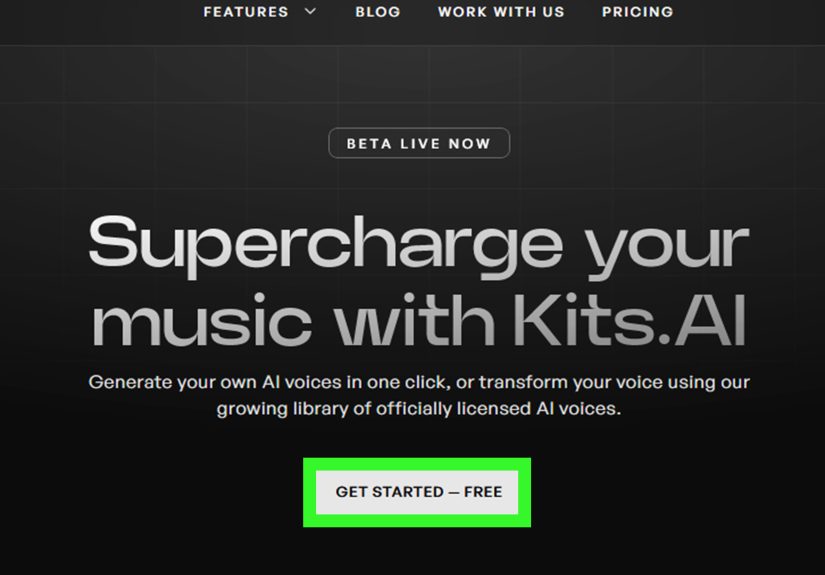
- Kits AI free plan: Offers AI music tools, vocal workflows, and voice models, with paid limits for heavier use.
- RVC-based tools: Open-source voice conversion workflows for users comfortable with installation and setup.
3. Audio Editors for Mixing
After voice conversion, you still need to mix. This is where beginners often skip the most important part. A raw AI vocal rarely sits perfectly in the instrumental. Use:
- Audacity: Great for cutting, aligning, volume balancing, EQ, compression, and exporting.
- BandLab: A free browser and mobile music studio with multitrack recording and mixing tools.
- GarageBand: Free for Apple users and excellent for simple music production.
How to Make AI Song Covers for Free: Step-by-Step
Step 1: Choose the Right Song
Start with a song you are legally allowed to work with. The safest choices are your own original song, a public-domain song, a licensed track, or a song used only for private practice. Avoid starting with a complicated track full of stacked harmonies, heavy distortion, crowd noise, or muddy production. AI tools love clean audio. They do not love chaos wearing a bass guitar.
For your first project, choose a song with a clear lead vocal and a simple instrumental. Pop ballads, acoustic songs, and clean vocal tracks are easier than dense metal, live recordings, or songs with huge choirs.
Step 2: Get a Clean Audio File
Use the highest-quality audio file available to you. WAV or high-bitrate MP3 is better than a low-quality download. Poor audio creates artifacts during vocal separation, and those artifacts become even more obvious after AI voice conversion.
Create a folder for your project with subfolders named “Original,” “Stems,” “Converted Vocal,” and “Final Mix.” This sounds boring. It is also the difference between finishing your cover and accidentally exporting “final-final-real-final-v7.mp3” at 2:13 a.m.
Step 3: Separate the Vocal and Instrumental
Open your song in a vocal remover or stem splitter. If you are using Audacity with music separation, import the track, choose the music separation effect, and create a two-stem split: vocal and instrumental. If you are using Ultimate Vocal Remover or Demucs, select a model designed for vocal separation and export the vocal and instrumental as separate files.
Listen carefully to both stems. The instrumental should not have too much ghost vocal left behind. The vocal should sound as clean as possible, with minimal cymbal bleed or background noise. Some artifacts are normal, especially on compressed songs, but a messy stem will make your AI cover sound blurry.
Step 4: Prepare the Vocal for AI Conversion
Before sending the vocal into an AI voice tool, clean it up. Trim silence at the beginning and end. Remove obvious clicks. Lower clipping if the vocal is too loud. If the vocal stem includes long instrumental sections, cut them out so the AI tool processes only the singing.
If the song has multiple singers, separate sections manually. Convert only the part you need. AI voice conversion works best when it receives a focused vocal performance instead of a chaotic duet, crowd chant, and tambourine argument happening at once.
Step 5: Choose an AI Voice Responsibly
Use a voice you have permission to use. Good choices include your own trained voice, a fictional or synthetic voice offered by the tool, a royalty-free voice, or a verified community voice where the singer has consented. Avoid unauthorized clones of real artists, especially for public uploads.
For the best result, match the voice to the song. A soft, breathy model may work beautifully for a piano ballad but collapse under a high-energy rock chorus. A powerful vocal model may sound amazing on pop hooks but too dramatic for a gentle acoustic track. Think of the AI voice like casting an actor: the role matters.
Step 6: Convert the Vocal
Upload or import your cleaned vocal into the AI voice conversion tool. Select your voice model. If the tool offers pitch settings, adjust them carefully. A male-to-female or female-to-male conversion may need pitch correction, but overdoing it can create chipmunk energy or haunted basement energy. Neither is ideal unless that is your brand.
Export the converted vocal as WAV if possible. WAV gives you more room for mixing than a heavily compressed MP3. Save the converted file in your project folder and keep the original vocal stem too. You may need to compare them later.
Step 7: Align the AI Vocal With the Instrumental
Open your instrumental and converted vocal in Audacity, BandLab, or another editor. Place them on separate tracks. Zoom in at the start and line up the waveform so the AI vocal enters at the same time as the original vocal.
Timing matters. Even a tiny delay can make the cover feel strange. If the vocal sounds like it is chasing the beat, nudge it earlier. If it feels rushed, move it slightly later. Use your ears, not just your eyes.
Step 8: Mix the Cover
Mixing is where the cover becomes listenable. Start with volume balance. Lower the vocal until it sits inside the track rather than floating above it like a karaoke balloon. Then apply light EQ. If the vocal sounds muddy, reduce some low-mid frequencies. If it sounds harsh, soften the upper range. If it sounds too dry, add a little reverb.
Compression can help even out the vocal volume, but use it gently. Too much compression makes AI vocals sound flat and plastic. A little goes a long way. The goal is not to crush the vocal; the goal is to make it behave politely in the mix.
Step 9: Master Lightly
Mastering is the final polish. For beginners, keep it simple: normalize the track, check that it is not clipping, and compare it with a commercial song at a similar volume. Do not chase extreme loudness. A clean, balanced AI song cover sounds better than a loud one that distorts every time the chorus arrives.
Step 10: Export and Label Your AI Cover
Export your finished track as WAV for archiving and MP3 for sharing. Use a clear file name such as “SongTitle_AI-Cover_PrivateDemo.mp3.” If you publish the cover, check the platform’s rules. YouTube and TikTok may require AI disclosure for realistic synthetic audio. Spotify and distributors may remove unauthorized voice impersonations. SoundCloud requires users to have the necessary rights, permissions, and releases for uploaded content.
A transparent description might say: “AI-assisted cover made with licensed/authorized materials. Vocals were converted using an AI voice model. Not affiliated with the original artist.” Adjust that wording based on your actual rights and tools.
Best Free Workflow for Beginners
If you want the simplest no-budget setup, try this workflow:
- Use an original or licensed song file.
- Separate vocals and instrumental with Audacity, UVR, or Demucs.
- Clean the vocal stem in Audacity.
- Convert the vocal with a free AI voice tool or a permitted voice model.
- Mix the converted vocal over the instrumental in BandLab or Audacity.
- Export, label, and share only where you have the rights to do so.
This setup costs nothing and teaches the full process. Once you understand it, you can upgrade individual steps later, such as using better stem models, higher-quality voice conversion, or professional mixing plugins.
Common Problems and How to Fix Them
The AI Vocal Sounds Robotic
Use a cleaner vocal stem, reduce background noise, and avoid extreme pitch changes. Robotic sound often comes from messy input or a voice model that does not fit the vocal range.
The Vocal Is Off-Beat
Manually align the vocal in your editor. AI conversion can slightly shift timing, so do not assume the exported file will land perfectly on the instrumental.
The Instrumental Still Has Ghost Vocals
Try another stem separation model. Some songs separate better with Demucs, while others work better in UVR or Audacity. You can also lower frequencies where the ghost vocal is most obvious, but there is no perfect cure for every track.
The Cover Sounds Too Quiet or Too Loud
Normalize the final mix and check for clipping. If the waveform looks like a solid rectangle, congratulations, you have created audio toast. Lower the levels and export again.
Publishing Tips for YouTube, TikTok, and Streaming Platforms
For YouTube, disclose realistic synthetic or altered audio when required during upload. For TikTok, use AI labels when your content includes realistic AI-generated audio or significant AI editing. For Spotify or distributor uploads, avoid unauthorized voice impersonation and make sure you own or have cleared the rights. For SoundCloud, confirm that you have permission for all content, voices, performances, and likenesses used in the upload.
Also remember that a cover license does not automatically give you permission to use another artist’s voice clone. Song rights and voice rights are separate issues. Treat them separately, document your permissions, and keep project notes.
Practical Experience: What Making Free AI Song Covers Actually Teaches You
After working through the process, the biggest lesson is that AI song covers are not really “one-click” if you want them to sound good. The AI part is impressive, but the human decisions still matter. The song choice, the vocal stem, the voice model, the pitch setting, the mix, and the final export all affect the result. A beginner can absolutely make a fun AI cover for free, but the best results come from patience rather than button-smashing.
The first practical experience is that clean input wins. If the original file is low quality, the vocal remover struggles. If the vocal remover struggles, the AI voice converter exaggerates every weird artifact. A tiny cymbal splash in the vocal stem can turn into a metallic hiss. A bit of leftover guitar can become a strange wobble behind the AI voice. The fix is simple but not glamorous: test multiple stem splitters and choose the cleanest vocal before converting.
The second experience is that pitch matters more than beginners expect. If the AI voice model has a natural range that is very different from the original singer, the cover may sound strained. Sometimes moving the vocal up or down slightly helps. Sometimes it makes the whole thing worse. The best approach is to export short test sections first, especially the chorus, before processing the entire song. This saves time and keeps your computer from sounding like it is preparing for liftoff.
The third experience is that mixing can rescue a decent AI cover, but it cannot fully save a bad one. EQ, compression, and reverb help the vocal blend with the instrumental. However, if the AI vocal is full of glitches, no amount of reverb will turn it into a Grammy moment. It will simply become a glitch with atmosphere. Fix problems early in the chain instead of hoping mastering will perform a miracle.
The fourth experience is that organization matters. Keep every version of your files: original song, vocal stem, instrumental stem, cleaned vocal, converted vocal, mix session, and final export. When something sounds wrong, you can go back one step instead of restarting the entire project. This is especially useful when comparing different AI voices or pitch settings.
The fifth experience is ethical: transparency makes the work stronger. AI covers are exciting because they let people experiment with sound, not because they let people confuse listeners. Clear labeling builds trust. Using consent-based voices protects creators. Working with your own vocals or original songs gives you more freedom and fewer headaches. The best AI music creators are not trying to trick the audience; they are trying to make something interesting.
Finally, free tools are good enough to learn the craft. You may eventually want paid features, faster processing, or higher-quality models, but you do not need them on day one. Start small. Make a 30-second test cover. Compare tools. Learn what artifacts sound like. Practice aligning vocals. Learn basic EQ. By the time you make a full AI song cover, you will understand the workflow instead of blindly trusting a generator. That knowledge is what separates a fun experiment from a polished result.
Conclusion
Making AI song covers for free is completely possible with the right workflow. Start with a clean and legally safe song, separate the vocals and instrumental, convert the vocal using a permitted AI voice model, mix carefully, and disclose AI use when required. The best results come from combining technology with good taste, patience, and respect for artists’ rights.
AI can help you explore new vocal styles, test creative ideas, and make fun covers without expensive equipment. But the smartest creators treat AI as a tool, not a shortcut around permission, quality, or honesty. Use it well, and your AI cover can sound fresh, polished, and genuinely creative.